

Description
Download Schmooze Meme Laugh Connect – dating app, meme swiping, fun connections, Android software, free PC software
Overview
Schmooze Meme Laugh Connect is a free Android application designed to simplify the process of meeting new people through shared humor and interests. The app positions itself as a unique dating platform where users connect by swiping through memes rather than traditional profile photos. It targets individuals who value lighthearted interaction and enjoy using internet culture as a bridge to form connections. The core purpose of the software is to reduce the anxiety often associated with initiating conversations in real-life or digital dating scenarios by replacing awkward small talk with shared comedic content.
Designed by Vidya Madhavan, Schmooze aims to appeal to younger users and social media-savvy individuals who find humor to be a natural icebreaker. Real-world usage scenarios include casual dating, making new friends, and engaging in playful interactions with like-minded users. The app’s focus on memes as a primary communication tool suggests it’s best suited for users who enjoy pop culture, internet trends, and informal social dynamics. While the software is marketed as a dating tool, its functionality extends to broader social networking through humor-based matching.
The developer did not provide additional details about the app’s background or technical development process. Platform compatibility is limited to Android, and no information about desktop or web versions was included. The app’s free-to-use model makes it accessible to a wide audience seeking low-pressure social experiences.
Key Features & Capabilities
- Meme-Based Swiping Interface – Users browse through a curated feed of memes and swipe right to express interest in a match. This feature replaces traditional profile-based swiping, using humor as a filter for compatibility.
- Interest-Based Matching – The app attempts to pair users with others who share similar meme preferences and humor styles, aiming to increase the likelihood of meaningful interaction.
- Integrated Chat with Meme Sharing – Once matched, users can exchange messages, including the ability to send memes directly within the chat interface to keep conversations light and engaging.
- Free Access with No Upfront Cost – The software is available at no charge, allowing users to explore its features without financial commitment.
- Simple Onboarding Process – The app includes a streamlined setup that enables users to begin swiping and connecting quickly after installation.
These features are intended to lower the barrier to entry for social interaction. For example, instead of writing a bio or crafting a first message, users can initiate contact through a shared laugh over a meme. This approach may help reduce social anxiety and encourage more spontaneous connections. The integration of humor into core functionality also supports a relaxed, playful user experience, which may appeal to users seeking fun over formal dating.
User Interface, Workflow & Performance
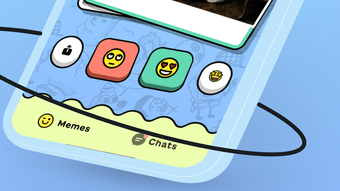
The user interface of Schmooze Meme Laugh Connect appears to be built around a swipe-centric model, consistent with popular dating apps. The layout likely features a central screen for viewing memes, with intuitive gestures—swipe left or right—to indicate interest or disinterest. Navigation between matches, chats, and profile settings is expected to be straightforward, though exact UI details were not specified.
Workflow efficiency depends on the app’s ability to deliver relevant memes and fast match responses. The app’s performance in handling media loading, message delivery, and session stability was not detailed by the developer. General software behavior patterns suggest that performance may vary based on device capabilities and network conditions. The developer did not specify resource usage details such as CPU or RAM consumption.
Stability and responsiveness are assumed to be standard for mobile applications of this type, but real-world observations are limited. Users may experience delays during peak usage or when sending larger meme files. Without official performance benchmarks, any claims about speed or reliability remain speculative. The app’s design prioritizes simplicity and engagement over technical complexity, which may contribute to a smoother experience on modern Android devices.
Compatibility & System Requirements
Schmooze Meme Laugh Connect is designed for Android devices. The developer did not specify the minimum Android version required for installation. Compatibility information was partially provided, with no details on supported hardware specifications or system architecture.
Installation size was not disclosed, so users cannot estimate storage impact. The app is available exclusively through Android platforms, with no mention of support for iOS, Windows, or macOS. As such, desktop users seeking to use this software on a PC will need to rely on emulators or alternative solutions, which are not officially supported.
The developer did not provide additional system requirements. Users are advised to ensure their device meets general Android compatibility standards. Exact performance details were not specified, so potential users should consider device age, available memory, and network stability when evaluating suitability.
Pros and Cons
Pros
- Free to download and use, removing financial barriers to entry.
- Unique meme-based swiping system that promotes fun and low-pressure interaction.
- Encourages connection through shared humor, reducing anxiety in early conversations.
- Simple onboarding process allows immediate engagement.
- Chat functionality enables direct meme exchange with matches.
Cons
- No information on system requirements or device compatibility beyond Android.
- Limited to mobile platforms; no desktop or web version available.
- Exact performance metrics and resource usage were not disclosed.
- App functionality relies heavily on internet connectivity and media delivery.
- No details on privacy policies or data handling practices.
FAQ Section
Is Schmooze available for Windows or Mac?
The software is currently available only for Android devices. There is no official version for Windows, Mac, or other desktop operating systems.
Is Schmooze safe to use?
The app is free to download, but specific security measures or data protection policies were not disclosed by the developer. Users should exercise caution when sharing personal information.
Does the app require an internet connection?
Yes, Schmooze requires a stable internet connection to load memes, match users, and send messages through the chat feature.
Are there any in-app purchases or subscriptions?
The software is free to use, but the developer did not specify whether premium features or ads are included in the current version.
How often does Schmooze receive updates?
Information about update frequency was not provided. Users should check the app store for the latest version and release notes.
Final Thoughts + CTA
Schmooze Meme Laugh Connect offers a fresh, playful approach to digital socializing by leveraging internet humor as a foundation for connection. Its meme-centric design sets it apart from traditional dating apps, appealing to users who value wit and lightheartedness in their interactions. While the app lacks detailed technical specifications and desktop support, its simplicity and free access make it a viable option for Android users seeking fun, low-stakes social experiences.
Those who enjoy internet culture, are comfortable with mobile-first platforms, and want to connect through humor will likely find value in this tool. It’s not designed for serious dating or long-term relationships, but rather for casual, entertaining interactions. With no cost to join and a straightforward workflow, Schmooze lowers the barrier to social engagement.
Download Schmooze Meme Laugh Connect now and start swiping your way to new connections through laughter.
Guides & Tutorials for Schmooze Meme Laugh Connect
How to install Schmooze Meme Laugh Connect
- Click the Preview / Download button above.
- Once redirected, accept the terms and click Install.
- Wait for the Schmooze Meme Laugh Connect download to finish on your device.
How to use Schmooze Meme Laugh Connect
This software is primarily used for its core features described above. Open the app after installation to explore its capabilities.
User Reviews for Schmooze Meme Laugh Connect 0
No reviews found





